Em-dash post-processing
AI language models overuse em-dashes: they are the most recognisable marker of AI-generated text. DXAI's real-time post-processing engine detects em-dashes in generated content and replaces them with natural punctuation (colons, semicolons, commas, or restructured sentences), so your content reads as though a person wrote it.
Intensity levels
The em-dash processor has four levels, controlled by the em_dash_mode
setting:
| Level | Name | Behaviour |
|---|---|---|
| 0 | Off | No changes. Em-dashes pass through unchanged. |
| 1 | Low | Replaces paired em-dashes only. These are parenthetical inserts where an em-dash appears on both sides of a phrase. |
| 2 | Medium | Paired em-dashes plus standalone mid-sentence em-dashes. Trailing em-dashes at the end of a clause are kept. |
| 3 | High | Replaces all em-dashes, including trailing ones. This is the default. |
The em_dash_mode value is sent with every chat payload to the Kavya API,
which applies the replacement server-side before returning the response.
Configuration
Navigate to /admin/config/ai/providers/dxpr. The Em-dash processor
section shows:
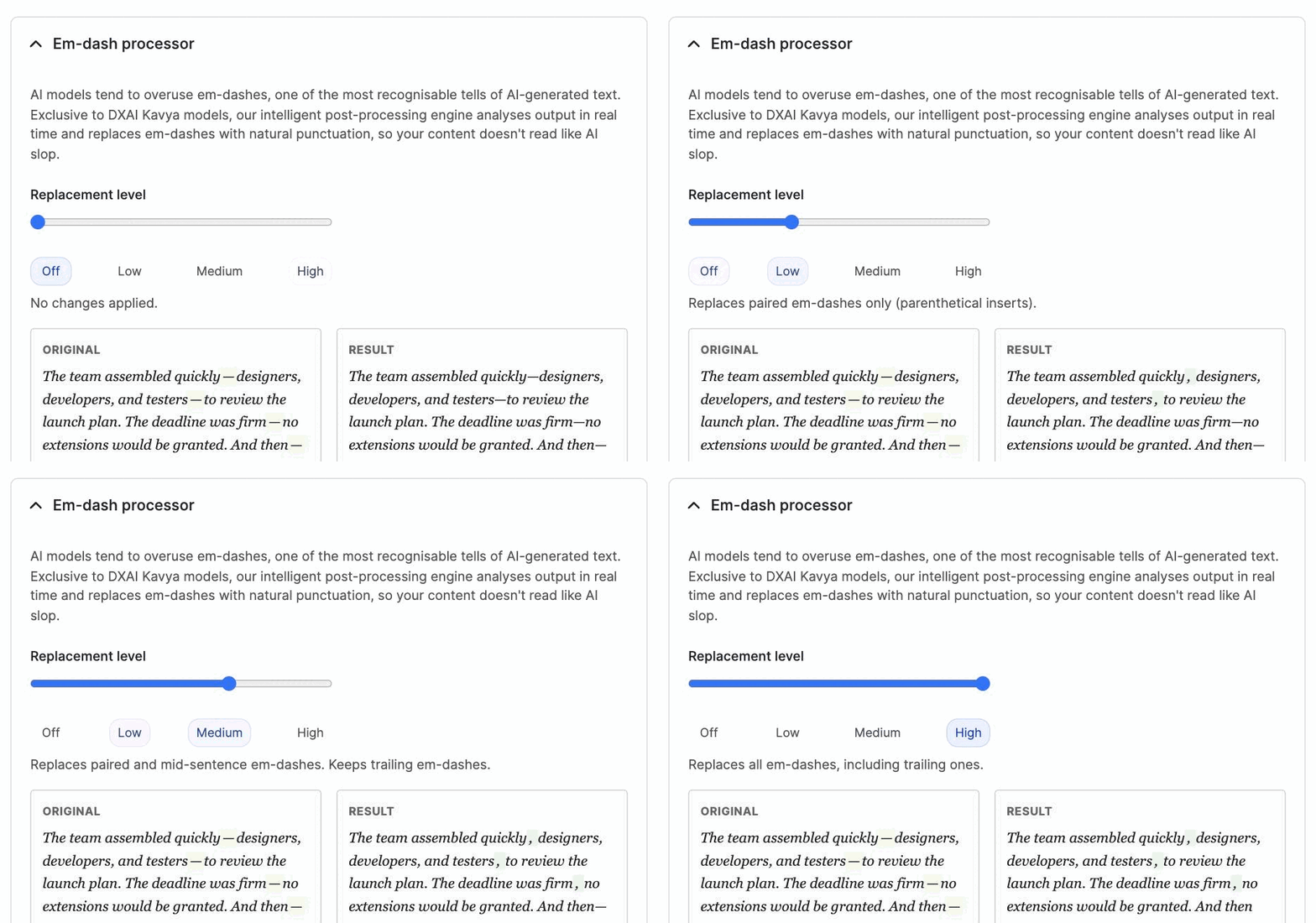
- Intensity slider: a range control labelled Off / Low / Medium / High. Drag it or click a label to select a level.
- Live preview: a panel below the slider showing before and after text. The preview updates immediately when you move the slider, so you can see the effect of each level without saving.
- Mode description: a short explanation of the selected level appears beneath the slider.
Per-language overrides
On multilingual sites, each language can have its own em-dash mode. This is useful because some languages use em-dashes as standard punctuation (for example, Russian and Polish use them in place of quotation marks for dialogue).
Per-language overrides appear below the main slider when your site has multiple languages enabled. Each language shows its own intensity selector. Languages without an override inherit the global setting.
When translating content, the em-dash mode resolves based on the target language, not the source language or the current interface language. This ensures that a translation into Russian (where em-dashes are conventional) can keep them, while a translation into English (where they signal AI authorship) can remove them.
Drush configuration
You can read and write the em-dash settings from the command line:
# Check the current mode
drush config:get ai_provider_dxpr.settings em_dash_mode

# Set the mode (0 = Off, 1 = Low, 2 = Medium, 3 = High)
drush config:set ai_provider_dxpr.settings em_dash_mode 3

# Set a per-language override (example: Russian to Off)
drush config:set ai_provider_dxpr.settings em_dash_language_overrides.ru 0